Reverse-engineered to its roots, AXIOLEXIS decodes as wisely weighed words, and its software is developed to the same specification: every detail held in view, every claim borne out, every part engineered to endure. Each app serves the mission, the assignments and the objectives of those who rely on it, and works a step ahead of them, ready with what will be needed before anyone thinks to ask. Every need met this way is a chance to pass on know-how and heritage to those who come after.
Byzantine chant in your pocket: scores that sing, the services of the day, and the books behind them.
Coming soonAndroid
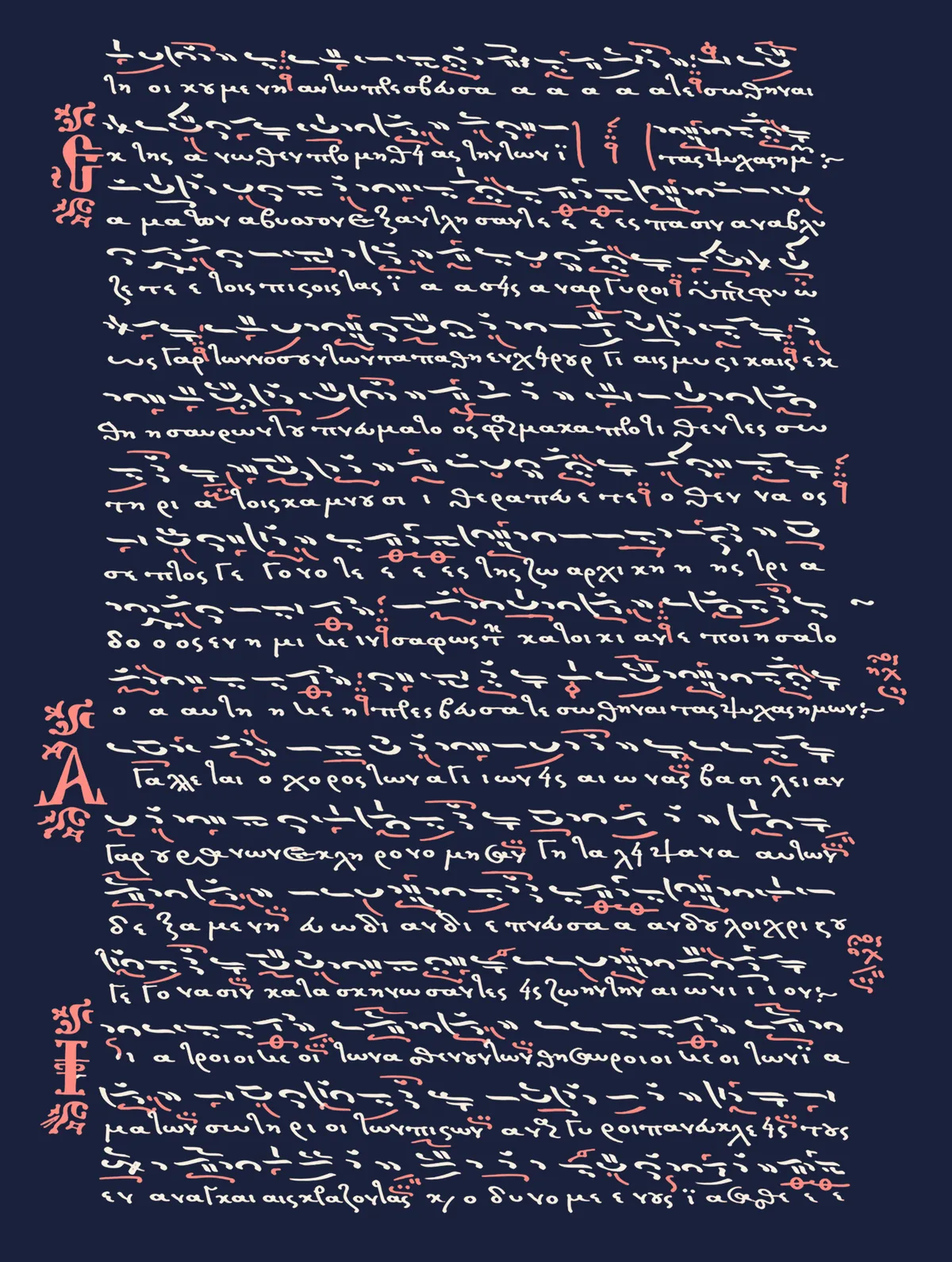
The app for phones and tablets, made for chanters: engraved Byzantine scores that play in the intervals of each mode, the liturgical books and the service of the day, and a microtonal keyboard tuned in moria, with an ison beneath. For practice at the analogion, in class or on the way. Scores are written in AXIOMELOS Studio.
Engraved scores that play back with tempo, ison and note names for parallage — a first set for now, the beginning of a library arranged by month and feast
Liturgical texts, rules and canons: the Menaion for every month, Octoechos, Triodion, Pentecostarion, Horologion, Liturgikon, Euchologion, the Psalter and the Pidalion, with The Rudder in English
The service of the day, after the calendar and the liturgical annual, with each hymn given in full
Paterika and spiritual counsels, read in two languages side by side
Attractions (ἕλξεις): the rules followed in playback, to tick, change or add
Theory, history and a glossary, exercises, and intonation formulas with recordings
Microtonal keyboard for the eight modes, tuned in moria (72 to the octave), with scales after Konstantinou and Ionașcu, and Western and oriental scales
PDF books in tabs, with the book’s own bookmarks, search, favourites and recent files
Oriental strings, oud, kanun, voice, organ and piano sounds; note names in Byzantine, solfège and a dozen other systems
English, Romanian and Greek
Available soon for Android phones and tablets. Leave your address below to be told when it is out.
Studio
Engraving and playing Byzantine music scores, in their own notation.
In developmentWindowsmacOSLinux
The desktop program for writing, engraving and playing complex Byzantine music scores in psaltic notation, made for chanters, choir leaders and engravers who need clean, faithful scores. What is written here opens in the AXIOMELOS app for phones and tablets.
Scores written sign by sign in psaltic notation: quantity, time and quality signs, fthoras, martyriae, mode signatures
Playback in the intervals of each mode, with ison, tempo and the fthoras followed
Martyriae drawn from the course of the melody, so a wrong sign shows at once
Layout of syllables, melismas and signatures set for each score
An open score format (.psax), read by the AXIOMELOS app
AXIOTHONIS
Brightness, contrast and input for your external monitors, with care for OLED screens.
FreeWindows 10 and 11v0.9.4
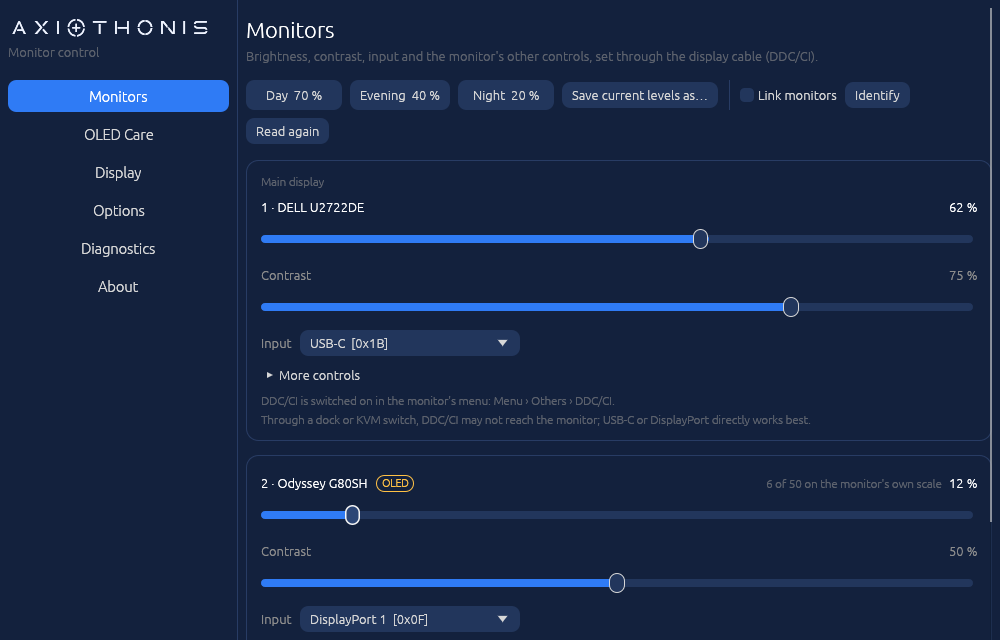
A small Windows tray app that adjusts external monitors over DDC/CI, the control channel built into the display cable, using only Windows’ own monitor interface: no manufacturer software or drivers. It also gathers Windows’ display settings on one page and, on OLED screens, dims the taskbar while it is not in use. It works with most external monitors.
Why it was madeIt began, as many frustrations do, with Windows. Connect an external monitor and the brightness slider simply greys out, about as useful as a door handle painted on a wall. The Settings app, where Microsoft keeps a little of everything, somehow forgot brightness. The good old Control Panel, kept on like a museum piece for sentimental reasons, knows nothing about displays at all. And the monitor makers’ own apps did little more than take up room. AXIOTHONIS was built for productivity and for eyes that deserve better. Its very first reading revealed a monitor quietly dimmed to 12% all along. Nobody had noticed, least of all Windows.
Brightness slider for every monitor, one click from the tray
OLED Care: the taskbar dims while the pointer is away from it and returns at once, on the screens you choose
Day, Evening and Night presets, per monitor and by the clock, and an option to link monitors
Contrast, input switching and the other controls your monitor lists: colour preset, picture mode, sharpness, volume
Display page: arrangement, resolution, refresh rate, scale, HDR and Night light, with a 15-second way back
Hotkeys from any app: Ctrl+Alt+PgUp and Ctrl+Alt+PgDn
Rescans by itself when monitors are plugged in or the PC wakes
English and Romanian; per-user installer, no administrator rights needed
The installer is not code-signed yet, so Windows SmartScreen may warn about an unknown publisher: choose More info, then Run anyway. DDC/CI has to be switched on in the monitor’s own menu; laptop screens are not controlled this way.
AXIOMETRIS
See what fills your disks, and free up space safely.
Coming soonWindows 10 and 11
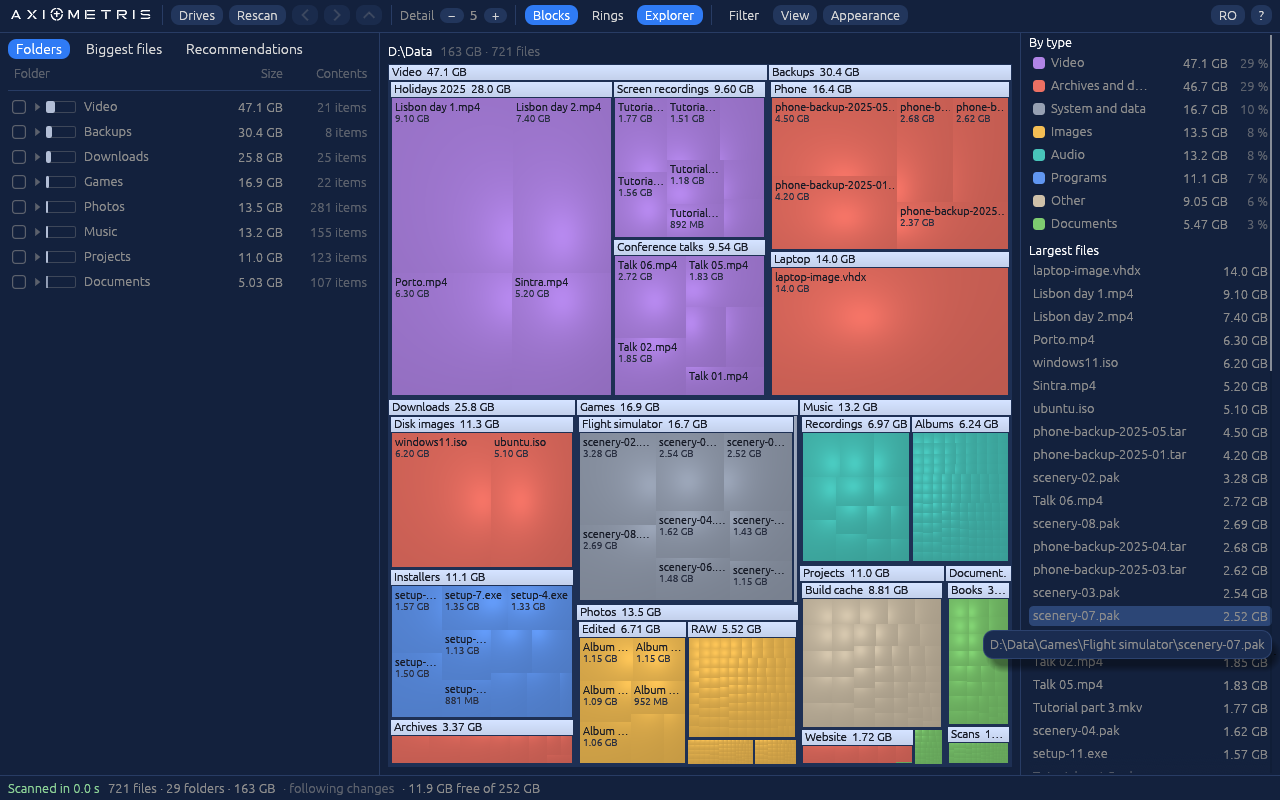
A Windows disk-space viewer that draws a drive or folder as a map of nested blocks, each sized by the space it takes, so the space hogs stand out at a glance. The map keeps up as files change, and what you choose goes to the Recycle Bin, with Windows’ own folders protected.
A live map that fills in while the scan runs, as blocks or as rings
Click a folder to open it; right-click to open it in Explorer, delete it or see its properties
Recommendations: temporary files, caches, old downloads, installers, duplicates and more, each marked safe or worth a look
Tick what you don’t need and review it all before it goes to the Recycle Bin
System folders protected; every deletion logged
Midnight blue, dark or light; five colour sets; plain, soft or cushioned shading
Follows changes on disk as they happen; English and Romanian
Portable, or a per-user install: no administrator rights needed
How the download works
Enter your e-mail address and we send you a personal link. It works for 2 days and up to 3 times, so the counts here reflect real people.
Your address
Used only to send the link, and deleted 7 days after it expires. Notices only if you tick a box and confirm. Every e-mail has a link to see, stop or erase what we hold.
Safe to run
The installers are built and published by AXIOLEXIS. If anything looks wrong, please let us know through the contact form.